Air Cooler vs AIO Liquid Cooling: Which One Should You Actually Buy?
An in-depth comparison of aftermarket air coolers and AIO liquid coolers — covering real-world temperatures, cost, noise, maintenance, and which use-cases truly benefit from liquid cooling.
The Great Cooling Debate
If you're building or upgrading a PC, you've inevitably run into the question: should I go with an air cooler or an AIO liquid cooler? Forums are full of passionate opinions on both sides, but the honest answer — like most things in PC building — is it depends.
In this guide, we'll cut through the noise with real data, recent product examples, and practical advice to help you pick the right cooler for your build, not someone else's.
How Air Coolers Work
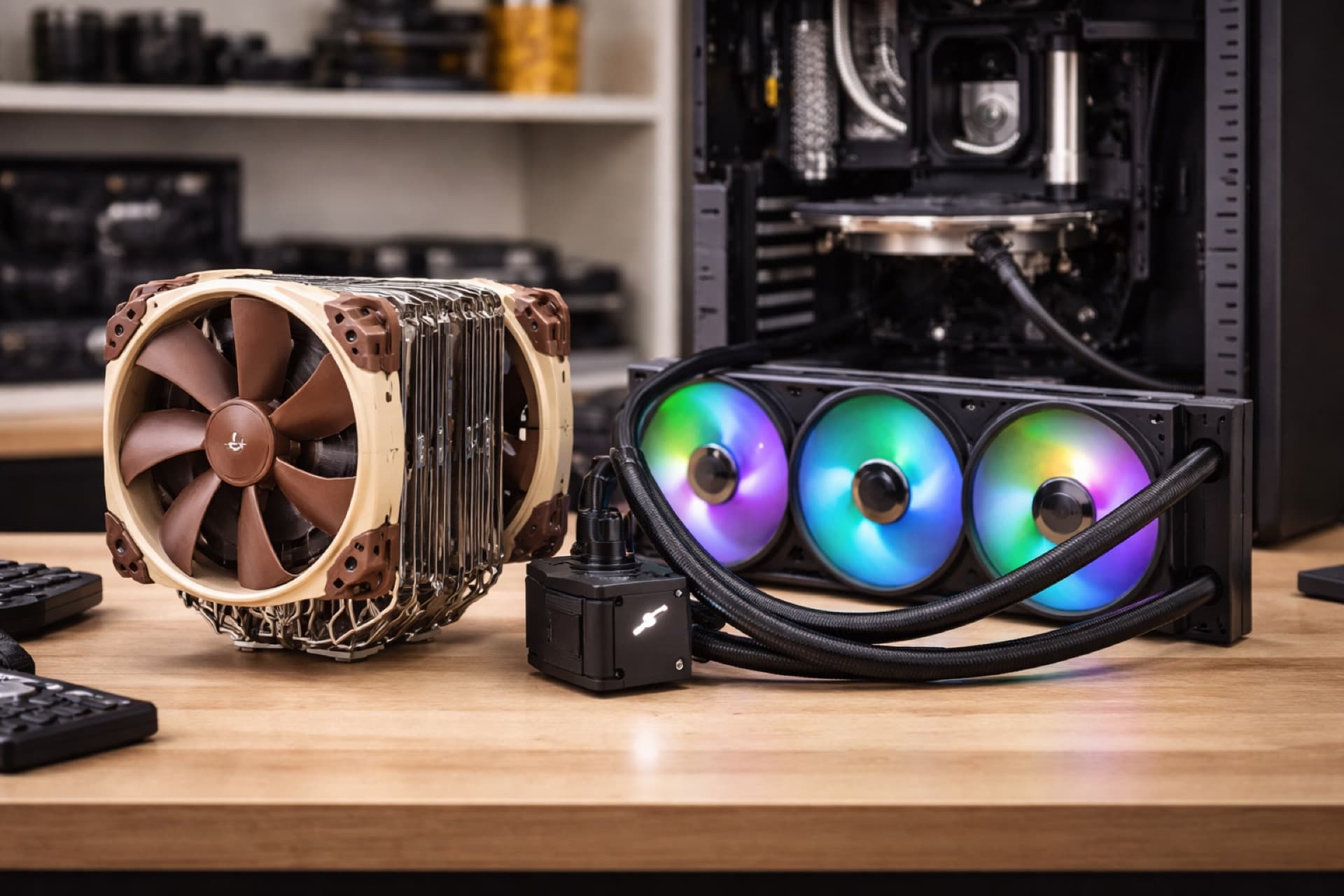
Tower air coolers are elegantly simple. Heat transfers from the CPU's integrated heat spreader (IHS) through a copper or nickel-plated base plate, up through heat pipes, and into a stack of aluminum fins. One or two fans blow air through those fins, carrying the heat away and into your case's airflow path.
Popular 2025-2026 air coolers:
- Noctua NH-D15 G2 — The king of air cooling, now in its second generation. Dual 150mm fans, ~$110
- DeepCool Assassin IV — Excellent performance with a tool-free mounting system, ~$100
- Thermalright Peerless Assassin 120 SE — The budget champion. Dual tower, dual fan, ~$35
- be quiet! Dark Rock Pro 5 — Premium build quality and near-silent operation, ~$90
- ID-Cooling SE-226-XT — Strong mid-range option, ~$30
Strengths of Air Cooling
- No leak risk — Zero liquid, zero chance of a catastrophic leak
- Longevity — Air coolers can outlast multiple builds. The fans are the only moving parts, and those are cheap to replace
- Low maintenance — Dust it off once or twice a year, that's it
- Cost — High-performance air coolers start around $30-35 and top out around $110
Weaknesses of Air Cooling
- Size and clearance — Dual-tower coolers like the NH-D15 G2 stand 168mm tall and can block RAM slots or not fit in compact cases
- Aesthetic limitations — Even the best-looking air coolers are visually bulky compared to a clean AIO setup
- Weight — A 1.5kg heatsink puts mechanical stress on the motherboard, especially during transport
How AIO Liquid Coolers Work
An all-in-one (AIO) liquid cooler circulates fluid through a closed loop: a pump (usually integrated into the CPU block) pushes coolant through tubes to a radiator mounted on the case. Fans on the radiator dissipate the heat. The loop is sealed at the factory — you don't fill, drain, or maintain the liquid yourself.
Popular 2025-2026 AIO coolers:
- Arctic Liquid Freezer III 360 — Exceptional value and top-tier performance, ~$90-$100
- Corsair iCUE LINK H150i LCD — Premium with LCD pump head display, ~$190
- Lian Li Galahad II Trinity 360 — Clean aesthetics and strong thermals, ~$130
- DeepCool LT720 — Excellent budget 360mm option, ~$90
- NZXT Kraken Elite 360 — Sleek design with customizable LCD, ~$250
Strengths of AIO Cooling
- Better peak thermal headroom — The larger thermal mass (especially 360mm+) handles sustained heavy loads and burst heat spikes more effectively
- RAM clearance — The CPU block is compact, so you'll never run into memory height conflicts
- Aesthetics — Clean top-down pump head, RGB fans, LCD displays — AIOs give you more visual options
- Case compatibility — Can fit in cases where a 168mm tower cooler physically won't
Weaknesses of AIO Cooling
- Pump failure risk — The pump is a single point of failure, and they typically last 5-7 years
- Potential for leaks — Rare with modern AIOs, but not zero. A leak can damage other components
- Permeation — Over 3-5 years, liquid slowly permeates through the rubber tubing, reducing coolant levels and effectiveness
- Cost — Good 360mm AIOs start around $90 and premium options hit $200+
- Noise floor — While fans can run slower, the pump adds a constant low hum that some users find noticeable
Real-World Temperature Differences
Here's where it gets interesting. The gap between a good air cooler and a good AIO is often smaller than people expect.
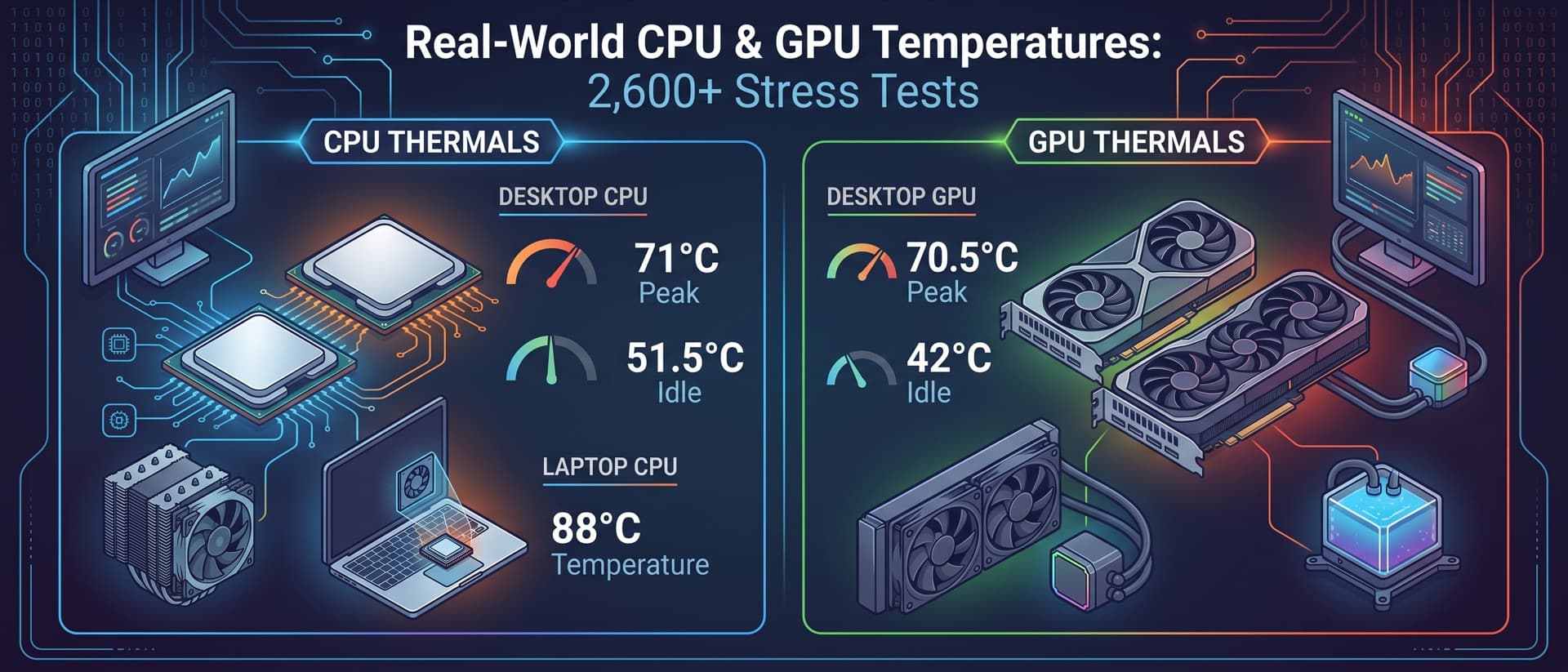
In typical mid-load scenarios (gaming, content browsing, light multitasking), a dual-tower air cooler and a 240/280mm AIO perform within 2-5°C of each other. It's only under sustained all-core loads — think Cinebench R24 multi-core, Blender renders, or video encoding — where 360mm AIOs pull noticeably ahead, typically by 5-10°C.
The Budget Air Cooler Surprise
One of the most interesting stories in cooling right now is how budget air coolers have closed the gap. The Thermalright Peerless Assassin 120 SE at ~$35 trades blows with coolers costing three times as much. It won't match a 360mm AIO under sustained all-core stress, but for the vast majority of workloads, it's within striking distance.
Cost Breakdown: What Are You Really Paying For?
Let's lay out the true cost comparison:
| Category | Budget Air | Premium Air | Budget AIO (240mm) | Mid-Range AIO (360mm) | Premium AIO (360mm) |
|---|---|---|---|---|---|
| Cooler price | $30-40 | $90-110 | $60-75 | $90-130 | $170-250 |
| Expected lifespan | 10+ years | 10+ years | 5-7 years | 5-7 years | 5-7 years |
| Replacement fans | $10-25 | $15-30 | $10-25 | $10-30 | $15-40 |
| Maintenance | Dust removal | Dust removal | Dust removal | Dust removal | Dust removal |
| Cost per year | ~$3-4 | ~$9-11 | ~$12-15 | ~$18-26 | ~$34-50 |
The cost-per-year gap is significant. A premium air cooler that lasts a decade costs you roughly $10/year. A mid-range 360mm AIO that lasts 6 years costs $20/year — and then you're buying a new one.
When Air Cooling Is the Right Choice
Choose an air cooler if:
- You're on a budget — A $35 Thermalright Peerless Assassin or $30 ID-Cooling SE-226-XT gives you 90% of the thermal performance at 20% of the cost of a premium AIO
- You value longevity — Building a system you want to run for 5-8 years without worrying about pump wear or fluid permeation
- Your workload is mostly gaming — Games rarely sustain 100% all-core CPU loads. An air cooler handles gaming thermals just fine
- You want simplicity — Less can go wrong. No pump to fail, no fluid to leak
- You're building for someone else — Air coolers are the "set it and forget it" option. Perfect for family/friend builds
When AIO Liquid Cooling Is Worth It
Choose an AIO if:
- You run sustained heavy workloads — Video editing, 3D rendering, compiling large codebases, running virtual machines. These all-core tasks generate sustained heat that benefits from the larger thermal mass
- You're pushing a high-TDP chip hard — CPUs like the Intel Core i9-14900K (253W PBP) or AMD Ryzen 9 9950X genuinely benefit from 360mm AIO cooling, especially if you're not power-limiting
- Your case won't fit a tower cooler — Some smaller ATX and mATX cases support 360mm top-mount radiators but have CPU cooler height limits under 160mm
- Aesthetics matter to you — If you're building a showcase PC with a glass panel and coordinated RGB, an AIO with an LCD pump head is hard to beat visually
- You're overclocking — Every degree counts when pushing clocks higher. The extra headroom from a 360mm AIO can mean the difference between a stable overclock and throttling
The Overlooked Middle Ground: 240mm and 280mm AIOs
Most of the "air vs AIO" debate focuses on premium tower coolers vs 360mm AIOs. But 240mm and 280mm radiators occupy an interesting middle ground:
- Price: Often $60-80 — comparable to a premium air cooler
- Performance: Slightly better than high-end air coolers, slightly worse than 360mm AIOs
- Fit: Easier to mount than a 360mm rad in many cases
The Arctic Liquid Freezer III 280 is a standout here — excellent thermals in a more compact form factor. It's worth considering if you want some of the AIO benefits without going full 360mm.
Sound Levels: It's Not What You Think
A common misconception is that AIOs are always quieter. The truth is more nuanced:
- At idle: Air coolers with quality fans (like Noctua's NF-A15) are effectively silent. AIOs have a pump that produces a faint but constant hum
- At moderate load: Both can be tuned to similar noise levels through fan curves
- At full load: AIOs with a 360mm radiator can run fans slower to achieve the same cooling as an air cooler at higher RPM — so AIOs can be quieter under heavy sustained loads
- Over time: AIO pumps can develop a rattle or whine as they age. Air cooler fans degrade more gracefully
If noise is your primary concern, the be quiet! Dark Rock Pro 5 and Noctua NH-D15 G2 are extremely hard to beat. They're engineered specifically for acoustic optimization.
How to Decide: A Practical Checklist
Answer these four questions to narrow it down:
-
What CPU are you cooling? If it's a 65-105W TDP chip (Ryzen 7 7700X, Core i5-14600K, etc.), an air cooler is almost certainly sufficient. For 150W+ chips being pushed hard, consider an AIO.
-
What's your case clearance? Measure your CPU cooler height limit. Under 160mm? You'll need a low-profile air cooler or an AIO. Over 168mm? A full tower air cooler fits fine.
-
How long will you keep this build? Planning 3-4 years before upgrading? An AIO is fine. Keeping this build for 7+ years? An air cooler won't degrade.
-
What's your budget? Under $50, go air — you'll get an excellent cooler. $90-130 is the sweet spot for both: a top-tier air cooler or a solid 360mm AIO. Over $150 is pure premium territory for AIOs with LCD displays and RGB.
Our Verdict
For most users, a quality aftermarket air cooler is the smarter buy. The Noctua NH-D15 G2 or DeepCool Assassin IV will cool nearly any CPU adequately, last for years, and never give you a moment's worry about pump failures or leaks.
AIO liquid cooling earns its place when you're running sustained heavy workloads on high-TDP processors, building in a space-constrained case, or prioritizing aesthetics in a showcase build. In those cases, a 360mm AIO like the Arctic Liquid Freezer III 360 offers meaningful thermal benefits.
The worst choice? Buying a $200 AIO to cool a 65W CPU that a $35 air cooler handles just fine. Match your cooling to your actual workload, not to someone's forum recommendation.
Have temperature data to share? Run a thermal test with ThermalStats and contribute to our community database — it helps everyone make better cooling decisions.
Be the First to Know
We're launching the ThermalStats newsletter soon — thermal tips, cooling guides, and data insights straight to your inbox. Sign up now to be first in line.
No spam, ever. Unsubscribe anytime.